
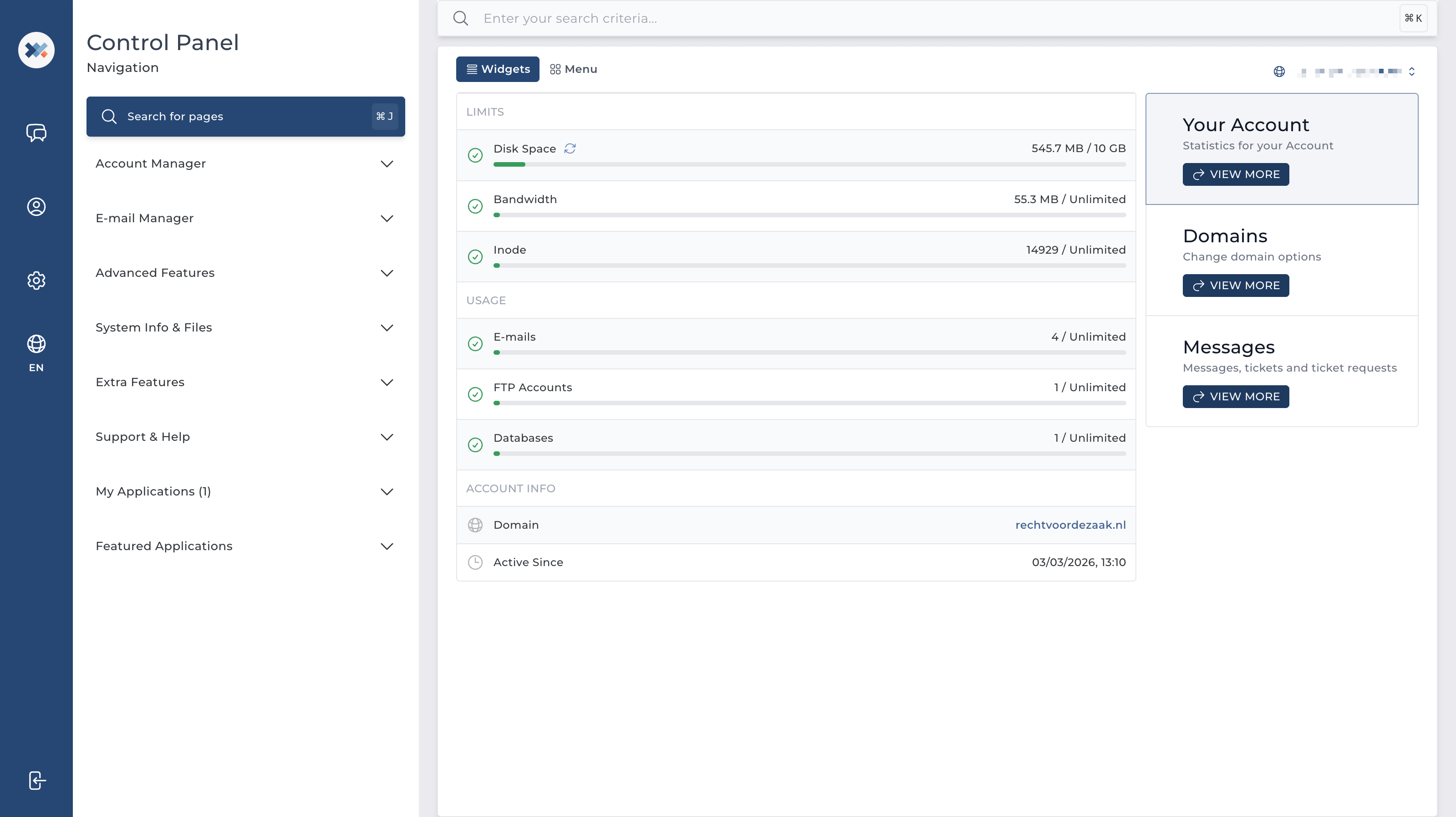
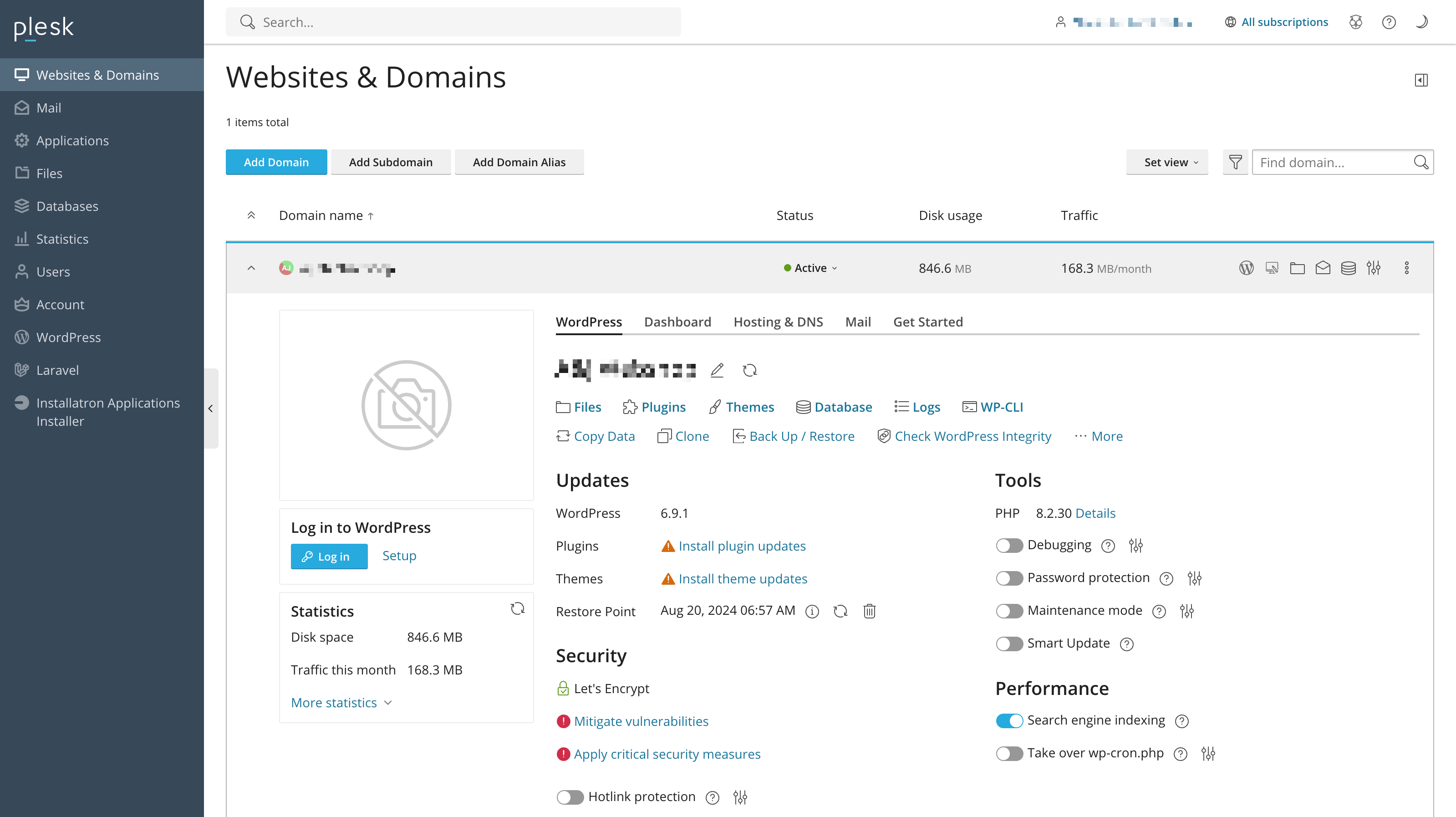
Every hosting package includes a full control panel. Manage your domains, email addresses, databases and files — clearly organised, directly from your browser.
Both DirectAdmin and Plesk offer a complete set of management tools — these are the features you will use on a daily basis.
Domains and subdomains
Add domains and subdomains, link them to the correct directory and set up redirects. Everything is active immediately and visible in your control panel — no need to contact us or install anything.
Create email addresses
Create professional email addresses on your own domain name. Set up forwarding rules, spam filters and auto-replies — directly via the control panel, without any outside assistance.
Manage files and applications
Upload and manage files using the built-in file manager. Via Installatron, you can install WordPress, Joomla or other applications with a single click — no FTP or technical knowledge required.
Create databases
Create MariaDB databases and manage users and access rights easily via the control panel. With phpMyAdmin, you can view and edit the contents of your databases without any technical knowledge.
Install SSL certificates
Activate a free SSL certificate for your domain in just a few clicks via the control panel. Your website will then be accessible via HTTPS — secure for your visitors and better for Google.
View and restore backups
View available backups and restore files, databases or your entire environment via the control panel. For Web Hosting and Reseller Hosting, this is handled via JetBackup.
Adjust DNS settings
Manage your DNS records directly via the control panel. Link your domain to external services, set up MX records for email, add verification records or edit existing records with ease.
Manage WordPress
With WordPress Hosting, you manage WordPress directly via Plesk and WordPress Toolkit — updates, staging, cloning and security in one place. For other packages, WordPress management is handled via Installatron.
A familiar starting point — for everything related to your hosting
Your control panel is the central place from which you manage your hosting environment — clearly organised, accessible and always available via your browser.
Whether you are creating a new email address, adding a domain or restoring a backup — you do it yourself, directly from the control panel. With our Web Hosting, Reseller Hosting and Email packages, that is DirectAdmin: a fast, well-organised panel that is easy to get to grips with. With our WordPress Hosting packages, that is Plesk — with an integrated WordPress Toolkit for managing, updating and securing WordPress sites without having to deal with technical details. Both panels are available in English and designed for ease of use.
DirectAdmin — included with Web Hosting, Email and Reseller Hosting
Plesk — included with WordPress Hosting
DirectAdmin vs Plesk
Which control panel suits your hosting package?
Both panels provide a complete foundation for managing your hosting. The differences are mainly in the WordPress integration and the more extensive management options available with Plesk.
Frequently asked questions about the control panel
Below you will find answers to frequently asked questions about the control panel included with our hosting packages. Cannot find what you are looking for? We are happy to help.
That depends on the hosting package you choose. With our Web Hosting, Email and Reseller Hosting packages, DirectAdmin is included. With our WordPress Hosting packages, that is Plesk.
Both panels are fully available in English and provide everything you need to manage your hosting environment independently — from domains and email to databases and backups.
No — both DirectAdmin and Plesk are designed for users without a technical background. Most tasks, such as creating an email address or activating an SSL certificate, can be done in just a few clicks.
If you do get stuck or have a question about a specific setting, our support team is here to help via our contact form.
Yes. Via Installatron, you can install WordPress with a single click — available with all hosting packages. With our WordPress Hosting packages, WordPress comes pre-installed and is managed via Plesk and WordPress Toolkit.
Installatron also supports over a hundred other applications, such as Joomla, Drupal and Magento.
Both panels offer the same core functionality: domains, email, databases, files, SSL and backups. The difference lies in the WordPress integration that Plesk provides through WordPress Toolkit.
DirectAdmin is fast, well-organised and ideal for hosting a website or web shop without specific WordPress requirements. Plesk is the better choice when WordPress is at the centre of your hosting environment.
Yes, depending on your hosting package, you can add and manage multiple domains and websites from the same control panel. You configure each domain separately for email, databases, SSL and files.
Managing websites for multiple clients? Take a look at our Reseller Hosting packages — which allow you to create a separate, isolated environment for each client using DirectAdmin.
Yes, your control panel is accessible 24 hours a day, 7 days a week via your browser — on any computer, tablet or smartphone. No additional software or installation is required to log in and get started.
Having trouble accessing your control panel or a question about a specific setting? Feel free to contact us — our support team is available around the clock and will help you as quickly as possible.
Hosting packages with control panel
Choose the package that suits you
Every hosting package comes with a full control panel — included as standard, at no extra cost.
Most popular
Web Hosting
For websites, web shops and email — with DirectAdmin as your control panel.
From25% discount
€ 2,19/ mo
Then € 2,92/ mo
Everything included — domains, email, databases, backups and SSL
Reliable, complete and transparently priced with no hidden costs
DirectAdmin — fast, well-organised and easy to use
xYnta uses cookies to keep the website secure and working properly. In addition, only with your consent, we place cookies to measure website usage and improve our services and communication. You decide which cookies you allow, and you can always update this later.
Manage cookie settingsYou can always change this later from Cookie settings in your account menu.